Automate Reports
Auto-generate and email expense reports on a schedule
Smart Receipts integrates with iOS Shortcuts automations to send expense reports automatically. Set it once and receive a weekly or monthly PDF or CSV report in your inbox — or directly to your manager for reimbursement. No manual work needed.
Step 1: Create the Export Shortcut
Open the Shortcuts app and create a new shortcut. Add the Export Expenses action from Smart Receipts, then add a Send Email action to mail the report to yourself, your accountant, or your manager for reimbursement.
Configure the export action:
- Choose PDF or CSV format
- Set the date range (e.g. "This Week" or "Last Month")
- Toggle "Include Receipt Images" for PDF reports
- Turn off "Show When Run" for silent background execution
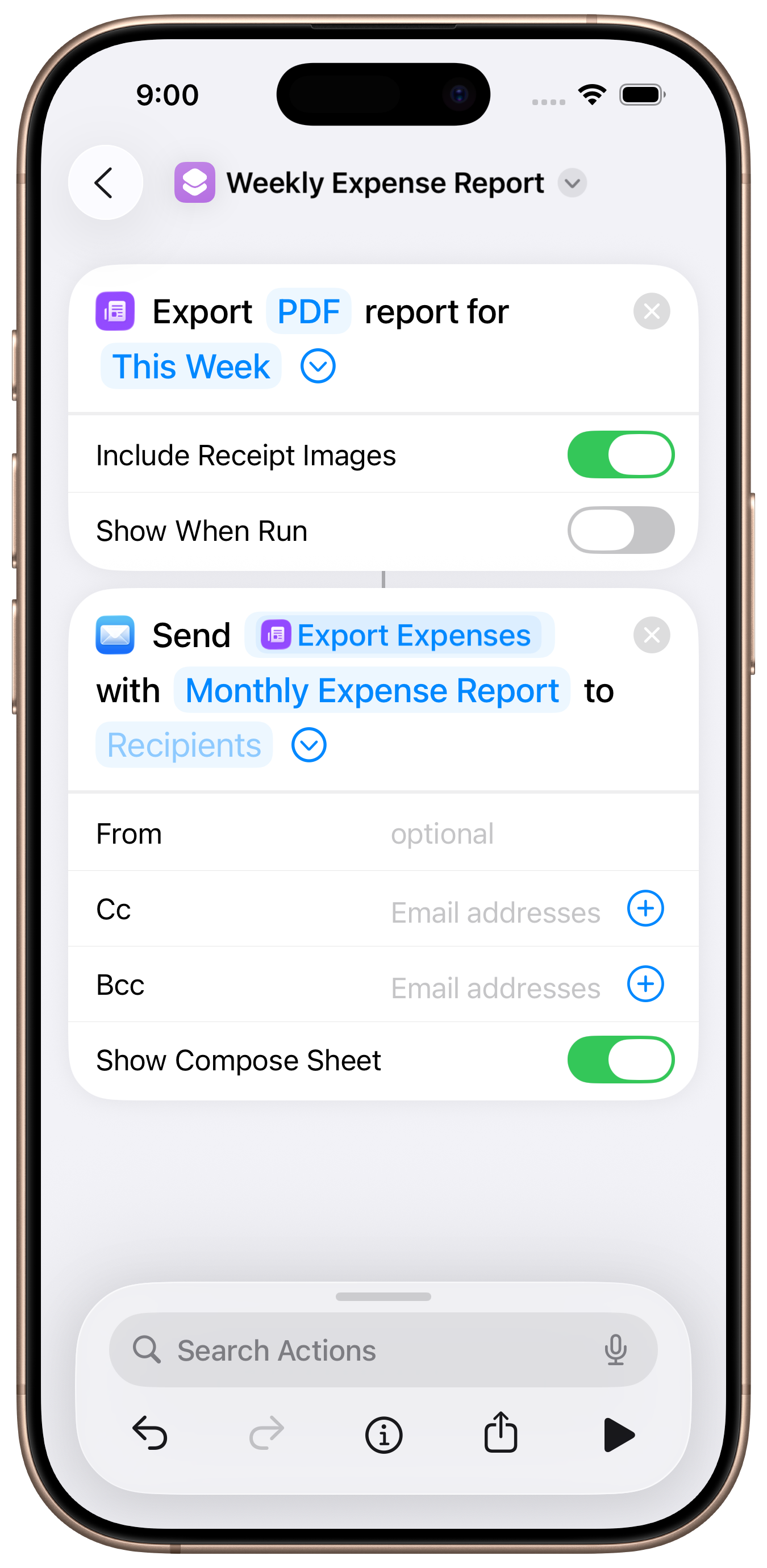
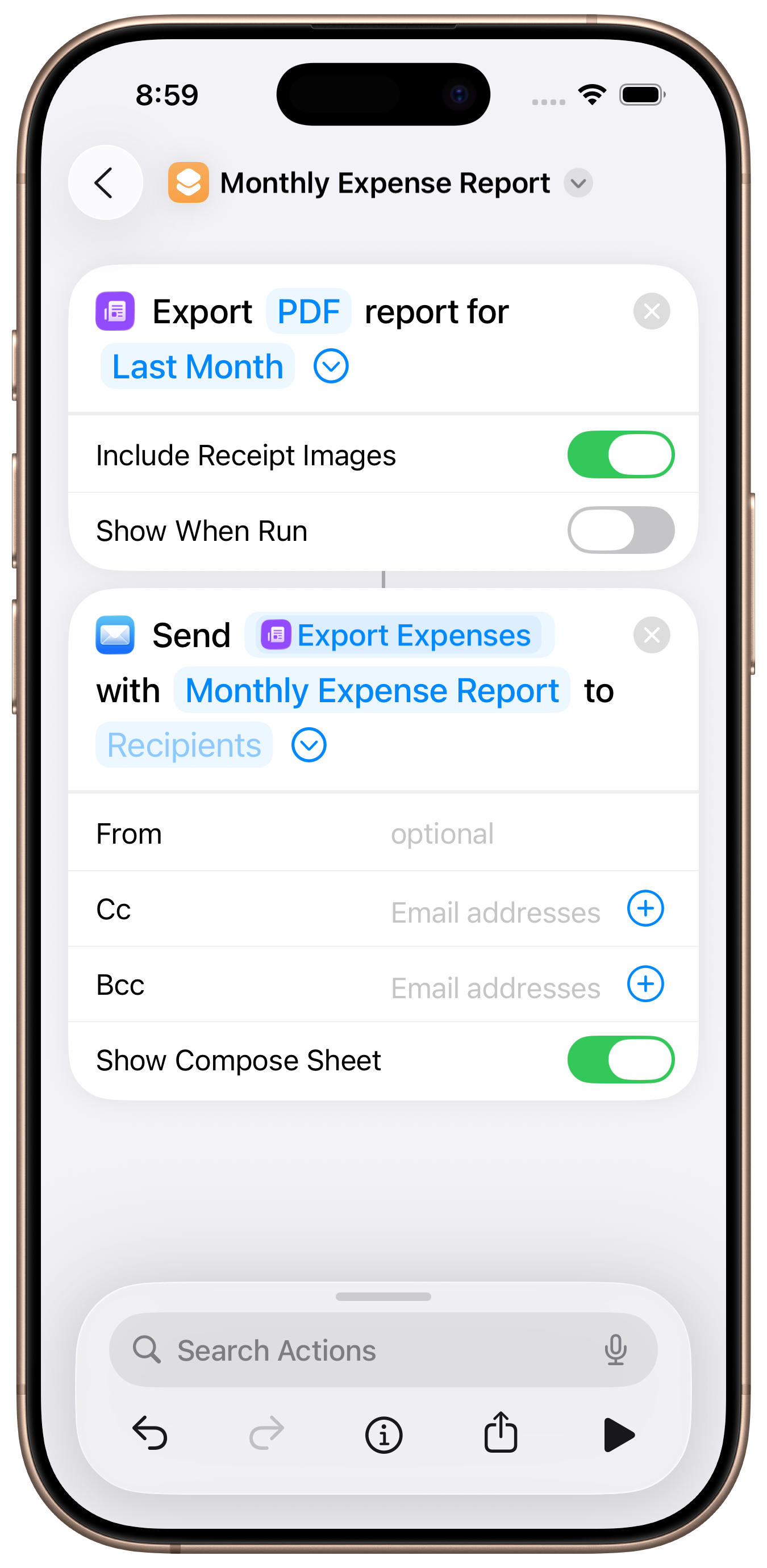
Left: Weekly report shortcut. Right: Monthly report shortcut.
Step 2: Set Up the Automation
Go to the Automation tab in the Shortcuts app. Create a new automation triggered by "Time of Day" and set it to repeat weekly or monthly.
Recommended schedules:
- Weekly: Every Sunday at 11:59 PM — captures the full week
- Monthly: 1st of each month at 9:00 AM — covers the previous month
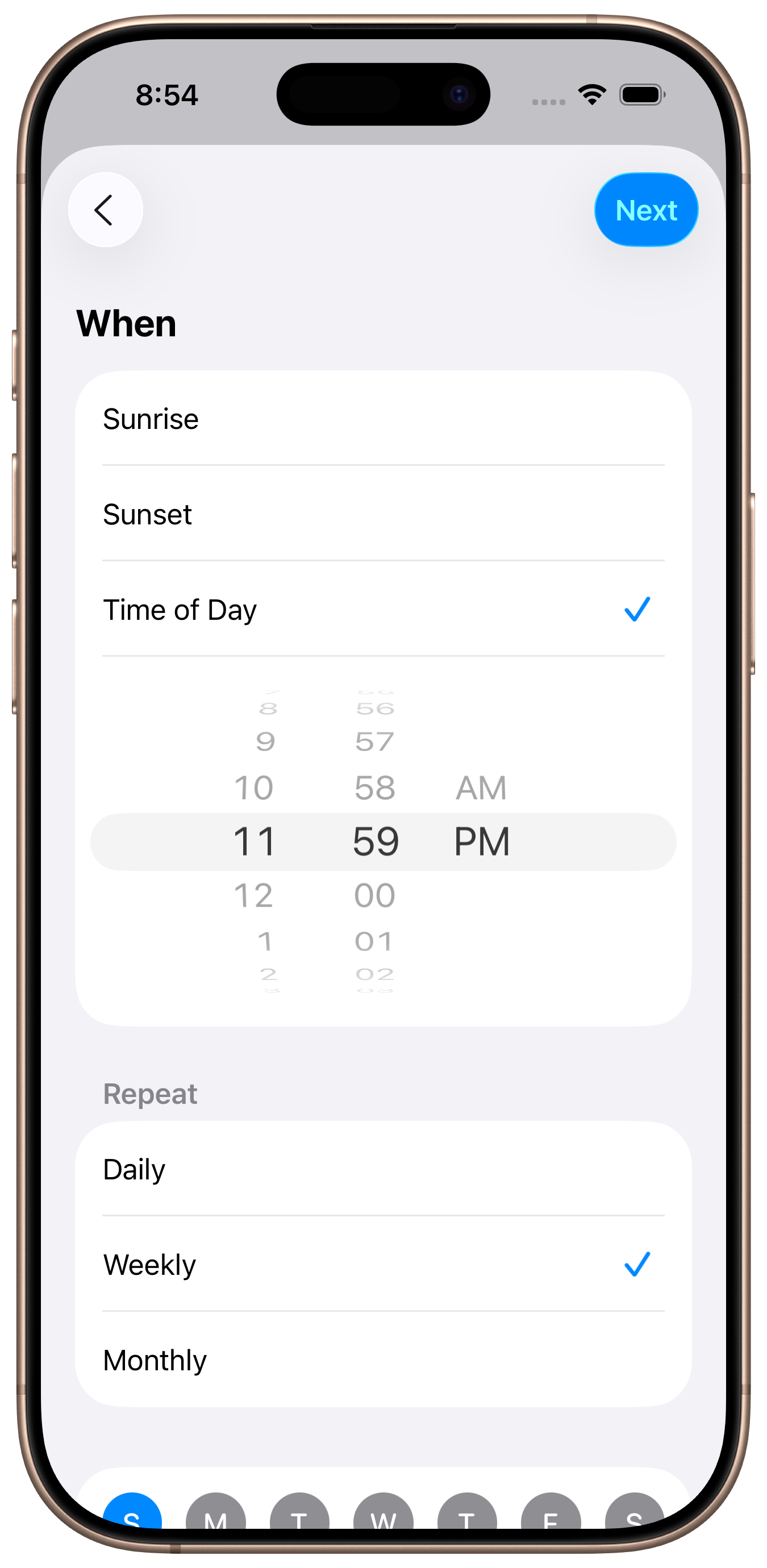
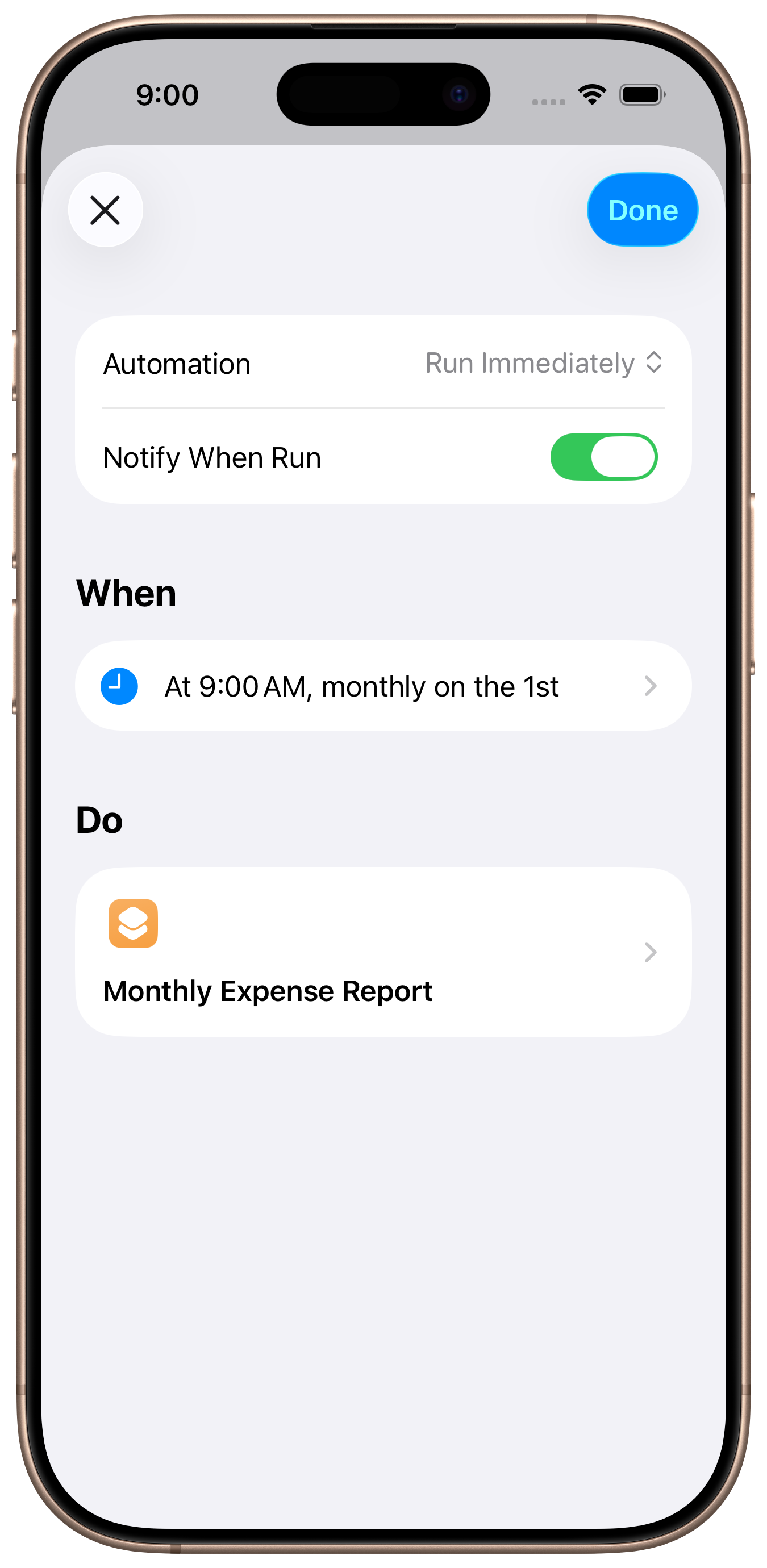
Left: Weekly schedule. Right: Monthly schedule.
Step 3: Sit Back and Relax
Your automation will run in the background at the scheduled time. A PDF or CSV report is generated and emailed automatically — no need to open the app.
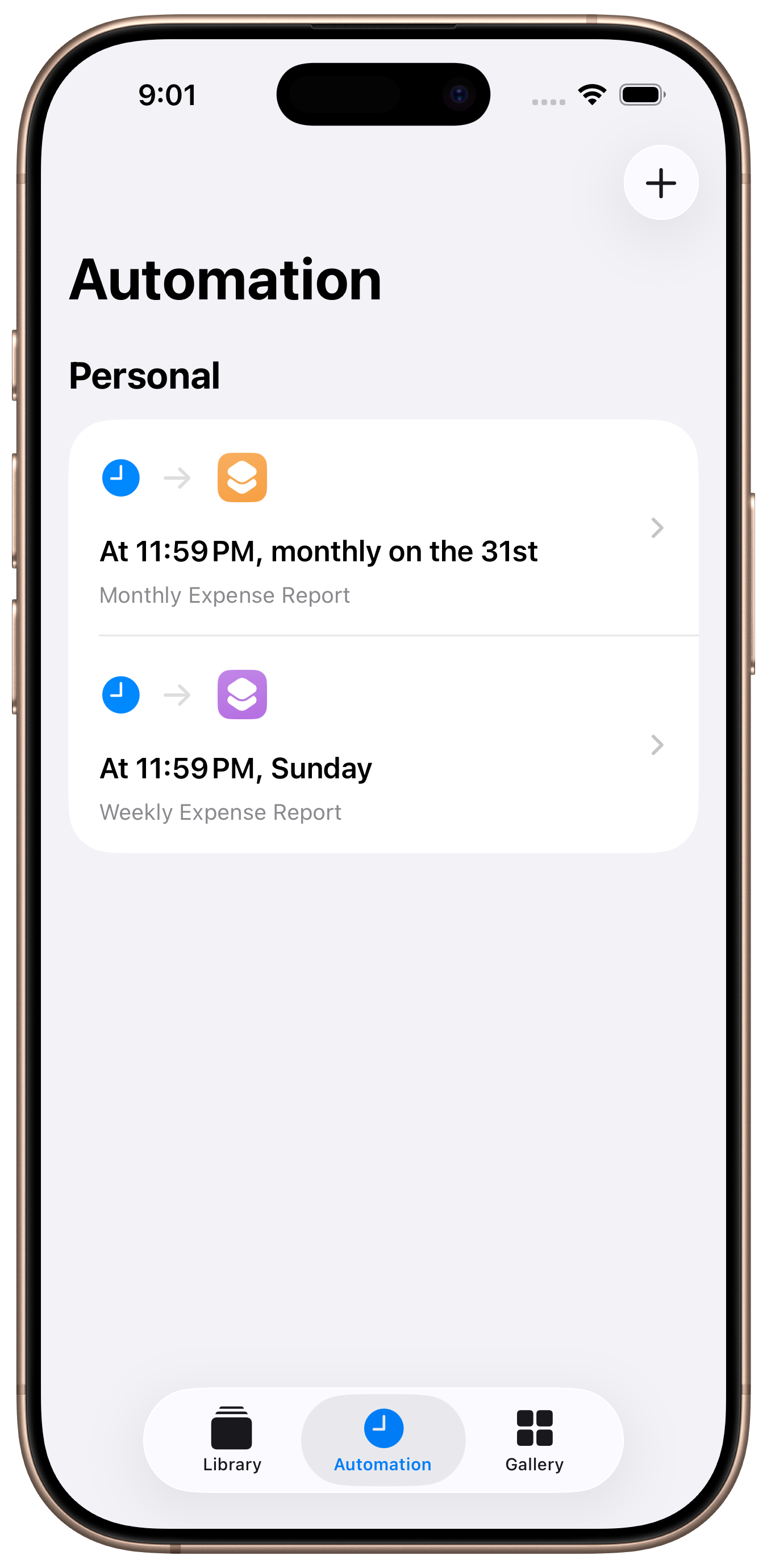
Both automations running on schedule.
Common Automations
Weekly Summary
Email a PDF of this week's expenses every Sunday night. Great for personal budgeting and freelancer tracking.
Monthly Report
Send last month's expenses on the 1st of each month. Perfect for submitting to your accountant or employer.
CSV for Spreadsheets
Export as CSV and email it for easy import into Excel, Google Sheets, or accounting software.
PDF with Receipts
Include receipt images in the PDF report. Ideal for expense reimbursement where proof of purchase is required.
Manager Reimbursement
Auto-send a PDF report with receipt images directly to your manager or finance team every month. No more chasing reimbursements.
Team Expense Tracking
Each team member automates their own reports. Managers receive organized expense PDFs from everyone on schedule.
Never forget to submit an expense report
Download Smart Receipts and set up automated reports in minutes.
Download Smart ReceiptsAvailable on the App Store.